On this page
Overview
- Clash tests flag geometry or clearance conditions for review; a result is not automatically a construction problem.
- Name the test type and tolerance. In Navisworks, clearance tests and moving-object soft clashes are different.
- Resolve and recheck the issue, then record any supported cost effect. Raw clash counts are not an ROI calculation.
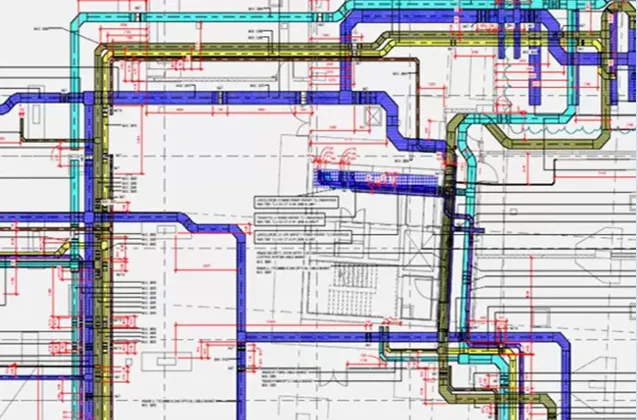
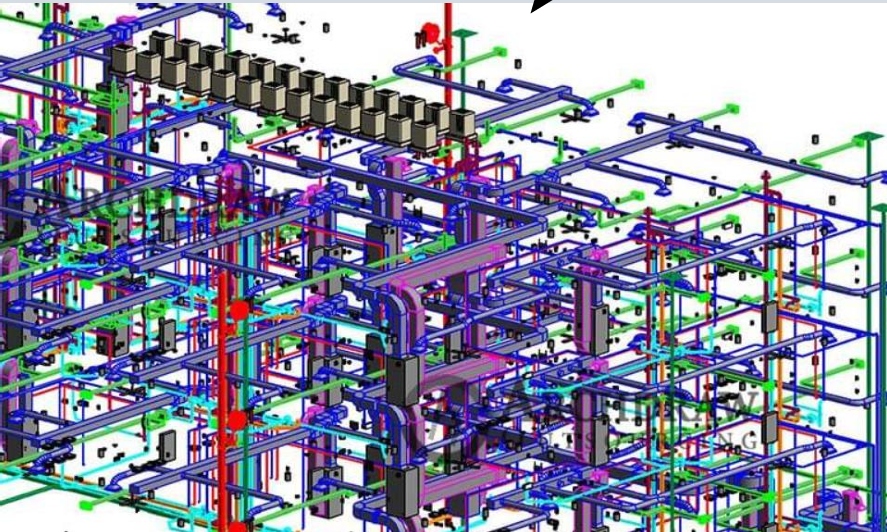
A duct crossing a beam is a useful issue to catch before installation. Clash detection can flag that intersection. The team still has to check whether it is a real conflict and agree a buildable solution.
Choose the right test
- Hard tests check geometric intersections. Review tolerances, approved penetrations and modeling conventions.
- Clearance tests check a specified distance between objects, such as access or insulation space.
- Duplicate tests find repeated geometry. Time-linked tests can help review movement or sequencing conflicts.
Teams sometimes use “soft clash” to mean clearance. Autodesk uses that term for moving-object conflicts. State the actual test settings in the coordination plan to avoid confusion.
Close the issue, not just the report
- Confirm which model versions and systems were tested.
- Group related results and assign a responsible person.
- Record the agreed solution and required design approval.
- Update the affected models and drawings, then rerun the relevant tests.
Review a representative coordination zone
Share the models and the current issue list with our BIM team. We can agree test rules, responsibilities and a review cycle. Any AI-assisted triage should be tested for missed issues as well as time saved.
Technical references
Sources for the definitions and design context discussed here. Check the applicable edition and project requirements before using them in design.
- 01
- 02
Frequently asked questions
What is clash detection in BIM?+
It compares model geometry or defined clearances to flag potential conflicts. The coordination team reviews the results, approves changes and checks the updated information.
Is a clearance clash the same as a soft clash?+
Terminology varies. In Navisworks, a clearance test checks distance between static objects; soft clash checking involves moving components. Specify the test settings, not just the label.
How much money does clash detection save?+
There is no universal amount. Assess the resolved issue, its likely site consequence and the cost of coordination. A large clash count alone does not prove a saving.