On this page
Overview
- Some tools assist segmentation, mesh creation or element placement; their outputs differ.
- A segmented mesh in Revit is not automatically a complete, editable engineering model.
- Test supported elements and total review effort on representative scan data before promising a saving.
AI-assisted Scan-to-BIM tools can classify point-cloud data and suggest common building elements. This can reduce some repetitive modeling work. Engineers still need to check what the tool has identified, correct errors and confirm the model meets the project requirements.
How AI accelerates the pipeline
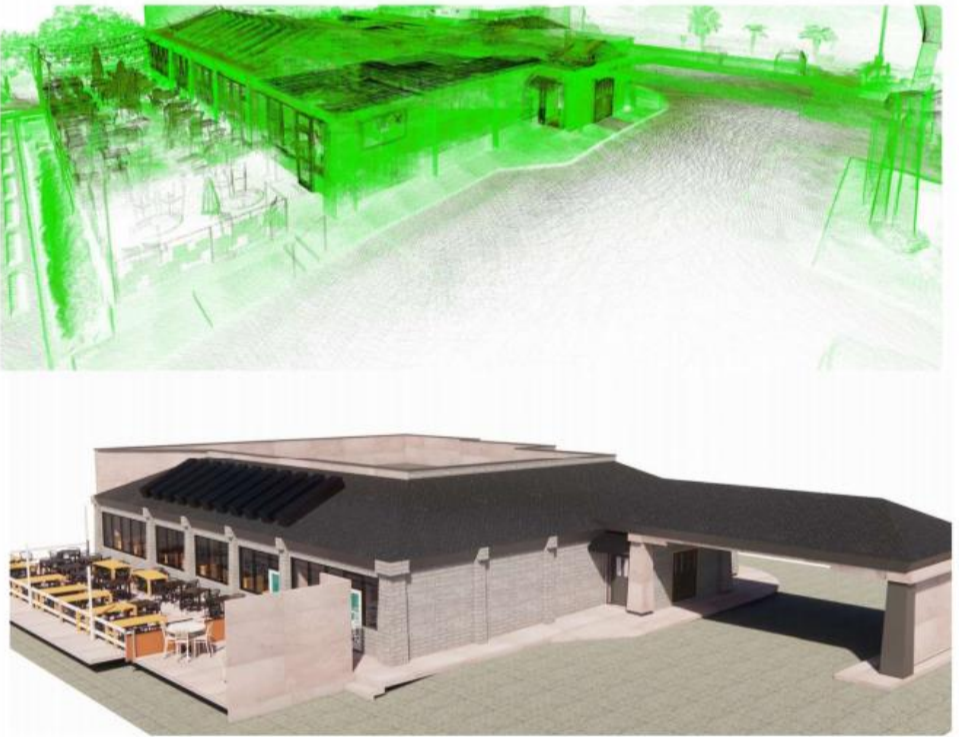
- Identify the output: labeled points, a segmented mesh and native BIM objects are different deliverables.
- Check supported geometry: test the actual walls, fittings or equipment in your scope, including occluded and irregular areas.
- Review the result: compare geometry with the approved survey basis and flag uncertain classifications.
- Count the full effort: include cleanup, conversion, correction, attributes and quality checks.
For example, Autodesk documents a ReCap-to-Revit segmented-mesh workflow. That is a specific software capability, not evidence that every element can be reconstructed automatically or that Spetia has a validated production tool for your scope.
Evaluate a defined Scan-to-BIM task
Spetia evaluates AI-assisted Scan-to-BIM workflows on bounded scopes. The proposal should state the supported inputs, human validation, tolerance, limitations, deliverables, and how time, cost, and accepted quality will be compared.
Technical references
Sources for the definitions and design context discussed here. Check the applicable edition and project requirements before using them in design.
- 01
- 02